Troubleshooting
Every common error message, what it means, and how to fix it.
Find the message from your log entry below. Open the entry from Logs → Details; the explanation is in the coloured box at the top. Text in italics stands for values from your own bot (exchange, pair, sizes).
The alert fired but nothing is in Logs
Alerts rejected before they reach a bot aren't logged. Check that:
- the bot is Active (paused bots reject alerts — see Pausing & stopping);
- the alert message ends with the bot's current token (a deleted bot's token no longer works) and starts with a valid action;
- the webhook URL is exactly the one on the bot page.
TradingView's alert log may show the delivery as failed. The replies
Promethean sends in these cases are Invalid or inactive bot token, Invalid
webhook token, No active bot found for pair, or Invalid payload… /
Invalid signal format….
Setup problems
- "Unknown action '…' in webhook payload. Expected one of: ENTER-LONG, EXIT-LONG, ENTER-SHORT, EXIT-SHORT (or BUY/SELL), case-insensitive."
- The first part of the alert message isn't an action. Copy the message from
the bot page again. Write actions with a hyphen (
ENTER-LONG). - "Your EXCHANGE account is in Hedge mode. Promethean futures bots require One-Way mode…"
- Switch your exchange's futures account (USDT-M on BingX) to One-Way position mode, or use a separate one-way sub-account for bots.
- "Could not verify your EXCHANGE position mode: … This is usually a temporary connectivity problem or an inactive/invalid API key…"
- The exchange rejected the API key (wrong key, secret or passphrase, deleted or expired key — Blofin keys expire after 90 days) or was briefly unreachable. Check the key on the exchange; if it's wrong, add a new key and recreate the bot.
- "… The exchange refused the request because this server's IP address is not on the API key's IP whitelist…"
- The key has an IP whitelist and the request came from an address that isn't on it (the exchange's message names that address). Add Promethean's addresses to the key's IP whitelist on the exchange and send the signal again. No order was placed.
- "Monitoring interrupted" (Logs page)
- Promethean couldn't read an open position from the exchange for about ten minutes, so take-profit fills, the close and stop moves were not being recorded. Your orders on the exchange were unaffected and still protect the position. The row says what the exchange answered — most often the IP whitelist above, or a deleted or expired key. A "Monitoring resumed" row follows once it can read the position again, and anything that filled in between is recorded then.
- "Exchange connection failed: …"
- Promethean couldn't set up the connection with this key. Delete the key and add it again, then recreate the bot.
- "Spot bots cannot short — shorting requires a futures bot…"
- Short actions need a futures bot.
- "Multiple take-profit levels are configured but … does not support TP/SL orders" / "TP/SL not supported on … Clear the bot's take-profit and stop-loss percentages…"
- Take-profit and stop-loss only work on futures bots on BingX, Blofin and Hyperliquid. Edit the bot and clear them.
Leverage
- "Leverage mismatch: this bot is configured for 5x but your EXCHANGE leverage for PAIR is set to 10x, so the margin used would not match the bot's size. No order was placed."
- Set the leverage for that pair on the exchange to the bot's value — or edit the bot to match the exchange. On BingX set both long and short leverage; on Blofin set the isolated leverage. Then resend the signal. See Leverage.
- "Could not verify your EXCHANGE leverage for PAIR: … No order was placed…"
- The exchange didn't answer the leverage check. Usually temporary; the next signal tries again.
Sizing and balance
- "Calculated order amount is zero or negative"
- With Percentage sizing this means no free balance in the quote currency (USDT, or USDC on Hyperliquid) in the wallet the bot trades from — for futures bots, your futures wallet. Fund that wallet or switch to Fixed Amount. On Hyperliquid, also make sure your account is in Standard mode.
- "Order size n USDT is below the EXCHANGE minimum of m USDT for PAIR. Increase position size."
- The trade is smaller than the exchange's minimum. Raise the size (or leverage).
- "Order amount … rounds to zero at EXCHANGE's precision. Increase position size."
- The size is smaller than the smallest quantity the exchange accepts for this pair.
- "Failed to create order: …" (with the exchange's own text, for example insufficient margin)
- The exchange rejected the order. The text after the colon comes from the exchange — most often not enough available balance or margin.
Position refusals
Futures bots compare their records with the position the exchange reports for the pair, and refuse to act when the two disagree rather than guess. Every refusal ends with "no order was placed".
- "Refused ENTER-LONG: the exchange already shows an open position. Manual reconciliation needed…" (or ENTER-SHORT)
- There's already a position on this pair — from this bot (a second entry; bots hold one position at a time), another bot, or a manual trade. Close it on the exchange, or wait for the exit signal.
- "Refused ENTER-LONG: the bot's records show an open position but the exchange is flat (state drift)…"
- The position was closed outside Promethean. The next EXIT signal will resync the bot to flat, after which entries work again.
- "Refused EXIT-LONG: the exchange shows a long position the bot has no record of opening…" (or EXIT-SHORT)
- The bot only closes positions it opened. Close this one on the exchange.
- "Refused EXIT-LONG: the exchange shows a SHORT position (direction mismatch)…"
- The exit doesn't match the open position's direction. Check you pasted the right message into each alert.
- "Refused EXIT-LONG: the exchange long size (x) does not match the bot's expected size (y) beyond tolerance…", or "…looks like a manual or external partial close…", or "…the venue status of the bot's take-profit order(s) could not be confirmed…"
- The position was changed outside the bot (a manual partial close or add). The bot won't close an amount it can't account for. Close the position on the exchange yourself.
- "Refused ENTER-LONG: this bot already holds a monitored spot position. Adding to a position (DCA) is not supported."
- A spot bot buys once and waits for its exit signal.
- "Refused EXIT-LONG: the bot's monitored position is x but only y is available in the wallet (state drift)…"
- Some of the coins the spot bot bought were sold or moved. Sell the rest by hand.
Messages on successful entries
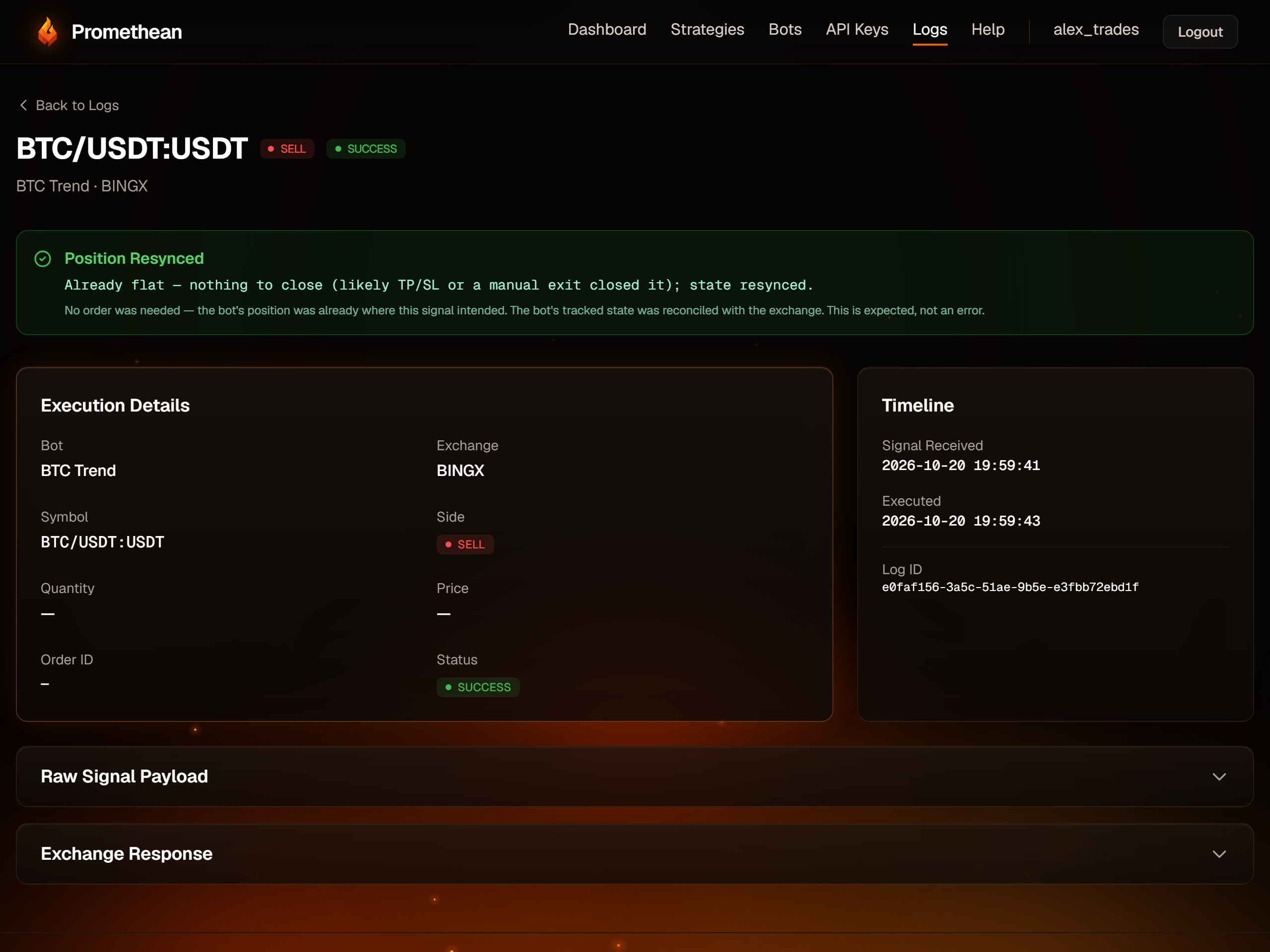
- "Already flat — nothing to close (likely TP/SL or a manual exit closed it); state resynced." SUCCESS
- Nothing to do: the position was already closed (by take-profit, stop-loss or by you), and the bot's records now match. On dry-run bots every exit shows this, because dry runs don't open positions.
- "No monitored position to close — nothing sold. The bot only sells what it bought; your other holdings are untouched." SUCCESS
- The spot-bot version of the message above.
- "PARTIAL TP PROTECTION: n of m take-profit levels FAILED to place (…)…" SUCCESS
- Needs your attention. The position opened and has its stop-loss, but some take-profit levels weren't placed (often a level below the exchange's minimum order size). Add the missing take-profit orders on the exchange, or make the levels larger. The page shows this in a green box — treat it as a warning.
Hyperliquid
- "Order placed but nothing filled within the slippage cap — the order ended '…' with zero filled. No position was opened."
- Hyperliquid has no true market orders. Promethean sends a limit order that may fill up to 1% from the current price on entries (5% on exits). The price moved further than that, so nothing filled. The next signal tries again.
- "Order rejected by the exchange — nothing was filled." (sometimes followed by "Venue error: …")
- Hyperliquid refused the order; the venue error says why — commonly insufficient margin or a size below the minimum.
On an exit, the same messages end with "…position is unchanged and still open; re-fire the EXIT to retry."
Ignored and blocked signals
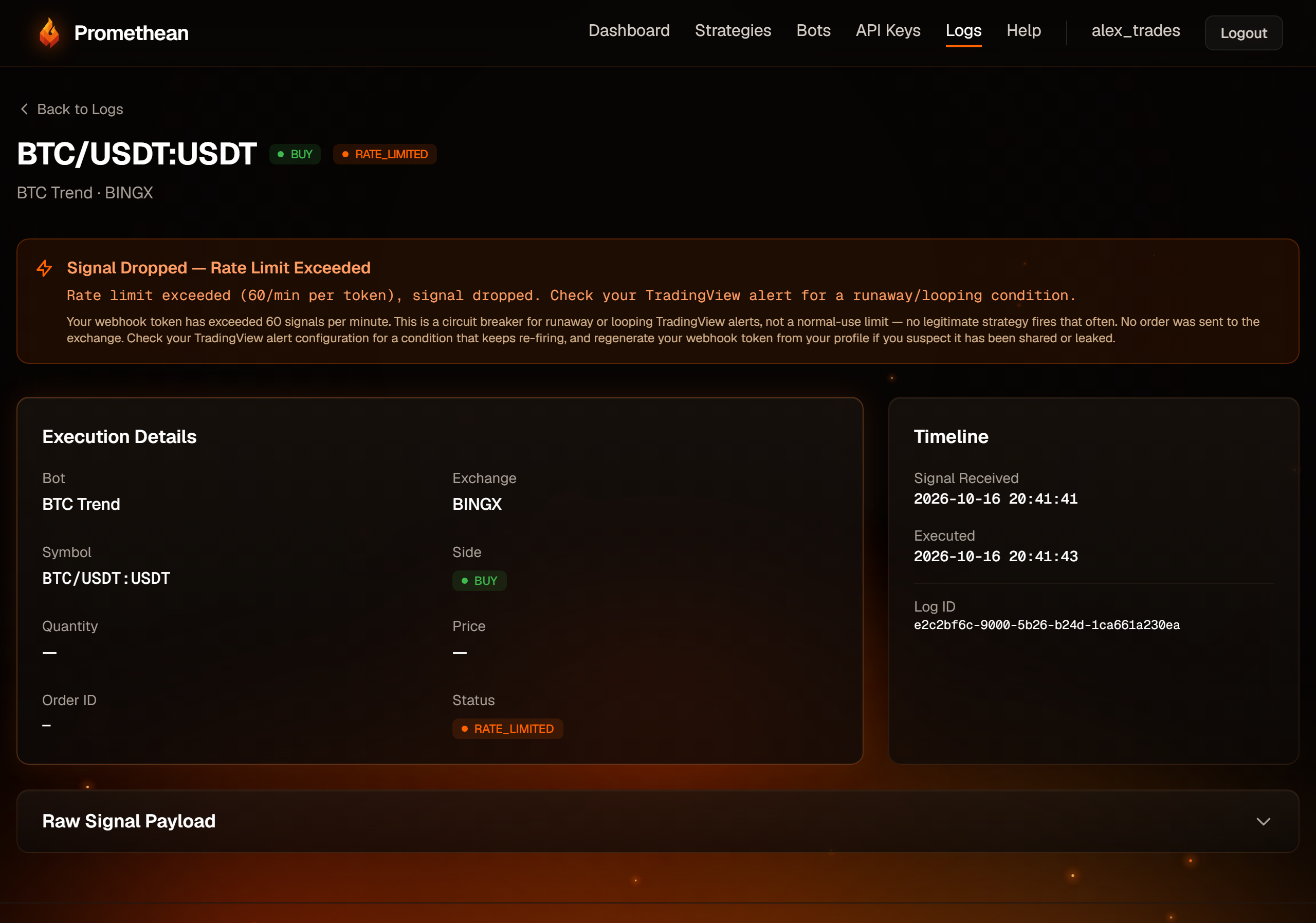
- "Duplicate signal ignored (idempotency)" DUPLICATE
- TradingView sent the same alert twice within the same 30-second window. The first was processed; this copy was ignored. Nothing to fix.
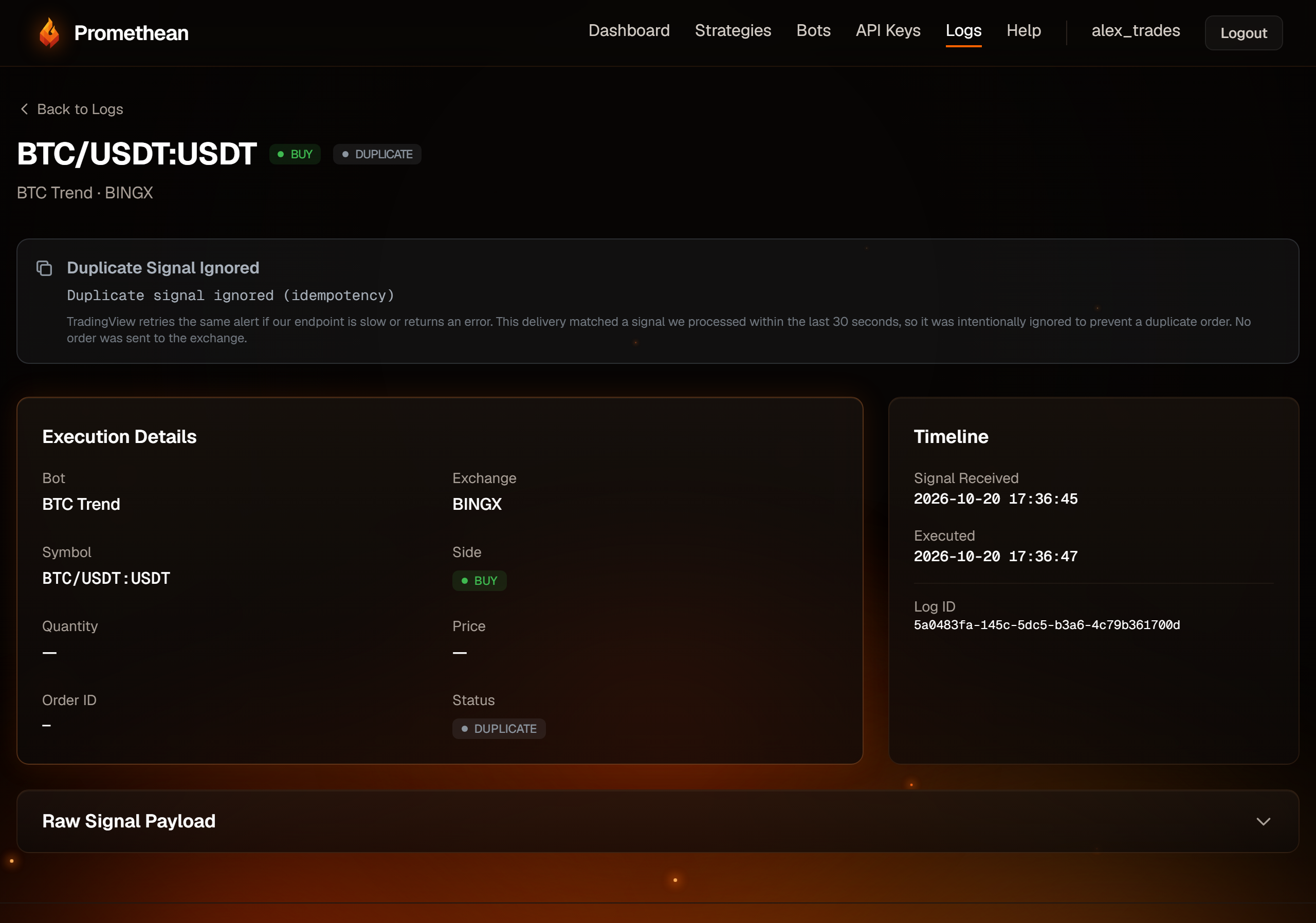
- "Rate limit exceeded (60/min per token), signal dropped. Check your TradingView alert for a runaway/looping condition." RATE_LIMITED
- More than 60 signals arrived in a minute across your bots. Look for an alert that fires on every tick or loops.
- "Trading disabled by user via kill switch" BLOCKED
- The kill switch is on. Resume trading from your Profile page.
Price and connection
- "Could not fetch price for PAIR: …" / "Could not read your EXCHANGE position for PAIR: …" / "Could not load market data for …"
- The exchange didn't answer in time. Usually temporary; the next signal tries again. If it keeps happening, check the exchange's status page.
- "System error: …" / "Unexpected error: …"
- Something unexpected went wrong. Note the time and the log ID (on the log's detail page) and contact the admin.